

Video can enhance your visitor’s experience of your website but it can slow down the load times.
Visitors to your site may really enjoy clips of you or you at work while they look through your services and offering, adding to the information they gain about what you do and how you deliver your services. Some people use a web page to showcase a library of videos, similar to showing a photo gallery of work.
Uploading video directly to your site can have a major impact of the time it takes to load a webpage, this in turn has an impact on how you are ranked by search engines. Search engines push you further down their list of sites on a number of scores, one of these is the speed of the load times. Where you are ranked under the sponsored links is referred to as Search Engine Optimisation (SEO), the better your site is optimised the higher up the rankings you will show. Read more about SEO here.
The reason video slows down your site is because the files sizes are very large. A still image can be optimised to reduce the files size simply enough but you can’t do this post production on a video.
So what is the best way to add video to your website?
Using video delivery platforms such as YouTube or Vimeo is the best way to have your video public facing. You can then embed the video within any of your web pages. Both YouTube and Vimeo have sharing links to videos and these links can be embedded onto you site so it looks like the video sites within your web page.
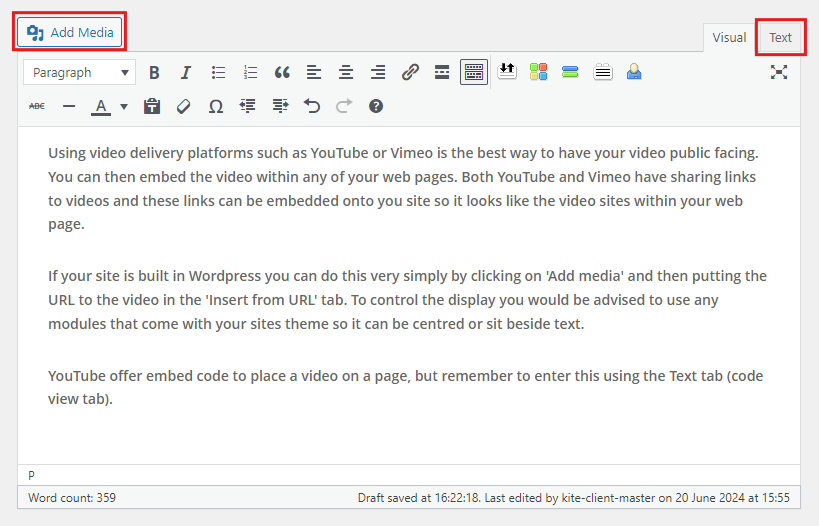
If your site is built in WordPress you can do this very simply by clicking on ‘Add media’ and then putting the URL to the video in the ‘Insert from URL’ tab. To control the display you would be advised to use any modules that come with your site’s theme so it can be centred or sit beside text.
YouTube and Vimeo also offer embed code to place a video on a page, but remember to enter this using the Text tab (code view tab).
There is an advantage to uploading videos to YouTube as it is a Google product so they favour you as it connects with their channels.
If you need help adding video to your website get in touch: info@kitewebdesign.co.uk